Messaging many guests at once
When the same thing needs saying to a lot of guests — a building's water is off tomorrow, the gate code has changed, a seasonal note to everyone arriving this month — you send it once instead of writing it out per conversation.
You pick who it goes to by filtering on the things that actually separate one group of guests from another: a date range, a listing, a booking platform, the language a guest reads in, or where the guest is in their stay. The language filter appears once your guests span more than one language.
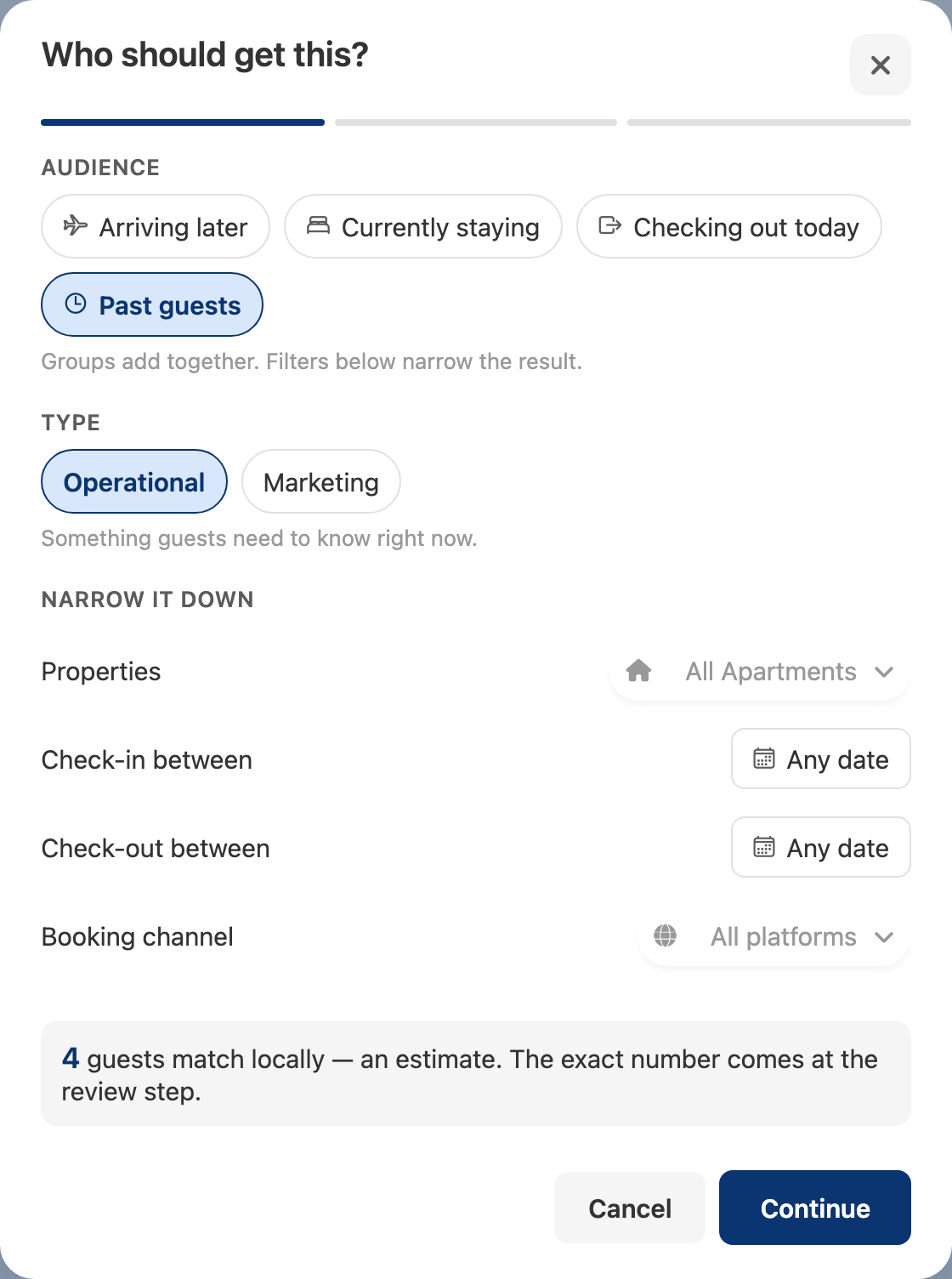
- 1Audience — pick one or more groups. They add together.
- 2Type — Operational is something guests need to know now. Marketing is not.
- 3Narrow it down — property, check-in and check-out dates, booking channel, and language once your guests span more than one.
- 4A running count, so you know the size of the group before you write anything.
Then you write it once. You are writing the substance, not the final wording: each guest gets their own version, in their own language, and the facts and instructions you gave are carried through.
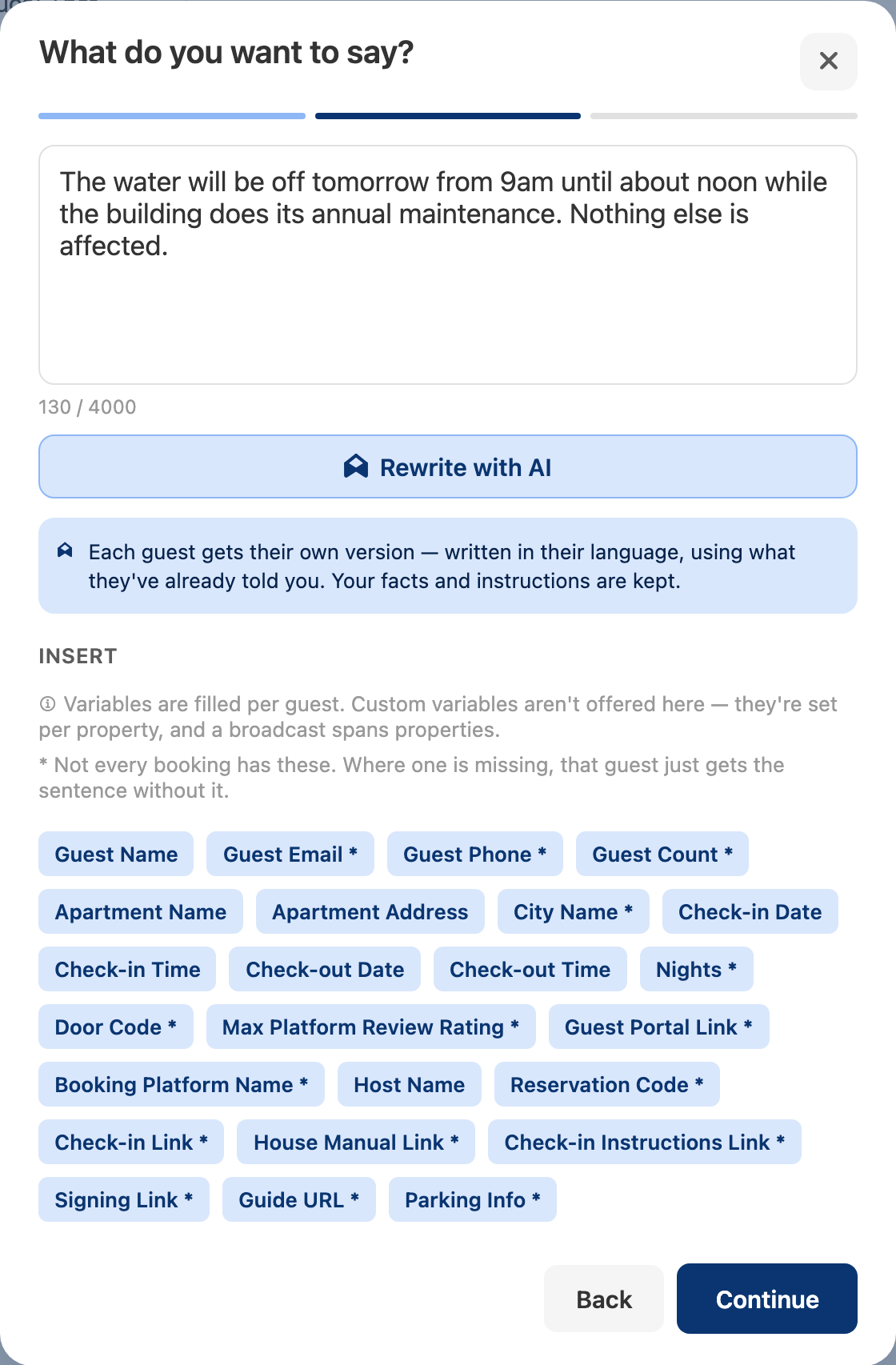
- 1Write the substance. One message, in your own words.
- 2Rewrite with AI tidies what you wrote. It does not invent facts.
- 3Each guest gets their own version, in their language.
- 4Insert drops in a value that fills per guest — their name, their door code, their check-in date.
Frequent questions
Can the AI send a broadcast on its own?
No. A broadcast is something you do deliberately. Autopilot never triggers one.
Do I see who it is going to before it sends?
Yes. There is a third step, Review & send, which shows the exact number of guests it resolved to and two or three real filled messages written for real guests in the list. Read those before you send: if one of them dropped an instruction, go back and say it more explicitly. Nothing goes out until you confirm from that screen.
How quickly does it reach everyone?
Progressively, not all in the same instant. Messages go out over a short period rather than in one burst, which keeps delivery reliable. For you that means a large broadcast finishes over a few minutes rather than immediately.
Does it go to the right channel per guest?
Each guest gets it wherever you already talk to them — the same channel their conversation is on.
Related
- Autopilot vs. Copilot — what the AI does send on its own, which is replies rather than broadcasts.