Connecting another owner's Airbnb account
Some managers hold every property under one Airbnb login. Others manage for owners who each have their own. This is for the second case.
You send the owner a link. They open it, authorise their own Airbnb account, and that connection lands inside your Supahost organization. You never see their password and neither do we. The link is time-limited, and you can issue a new one if it goes unused.
This is a different thing from having several properties under a single Airbnb login — that needs nothing special. This is for when the underlying accounts belong to different people.
How you send the invite
Both routes start from the same Connect button on the Airbnb integration. Choosing between them is the whole decision.
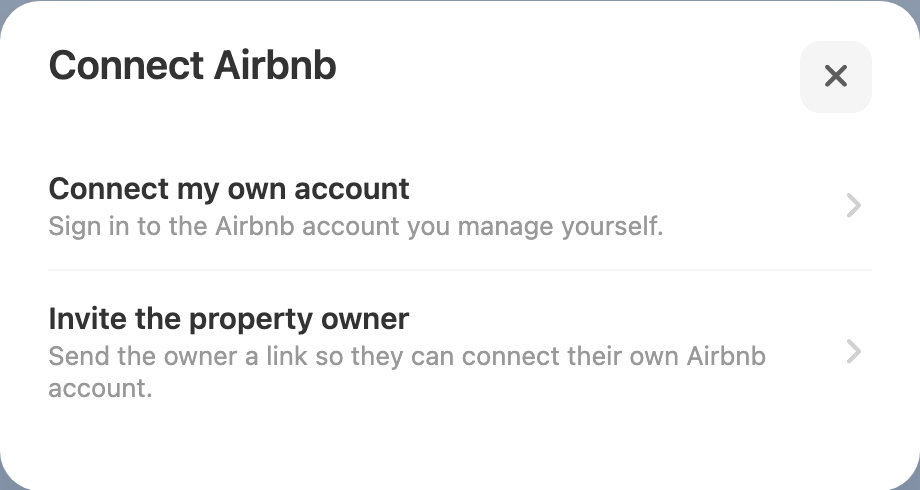
- 1Connect my own account — the ordinary case, where you hold the login.
- 2Invite the property owner — this page. The owner holds the login.
The second route asks you for one thing: a name for the connection. That name is only ever seen by your team, and it is what tells one owner's account from another later.
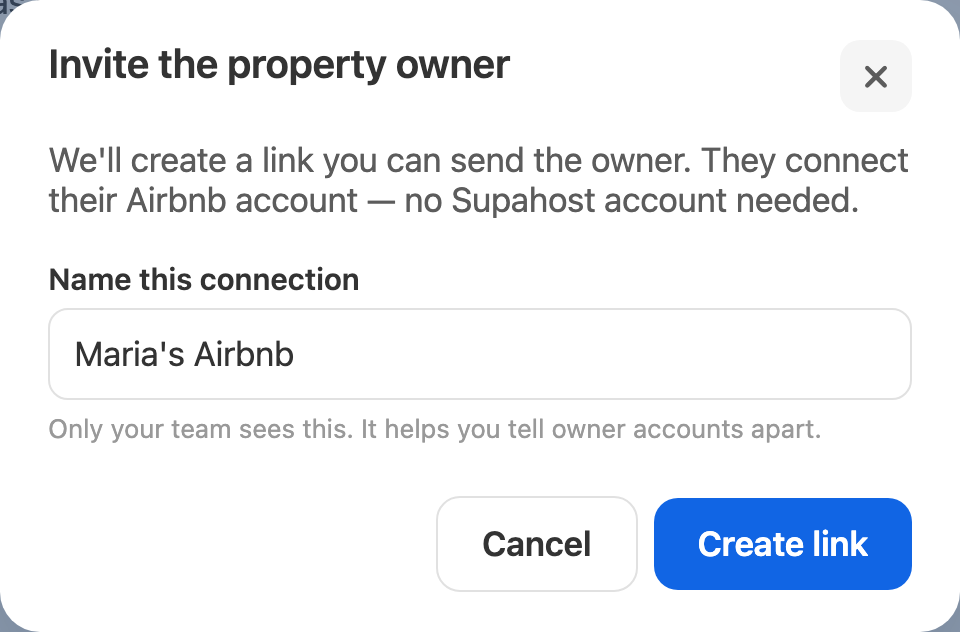
- 1Name this connection — for your team only. Name it after the owner or the building.
- 2Create link generates the link. You then send it to the owner however you already talk to them.
Frequent questions
Do I need the owner's Airbnb password?
No, and that is the point. The owner authorises their own account directly. Nothing is shared with you or with Supahost.
What if they do not click the link straight away?
The link expires after a limited window. If that happens, generate another — it is not a single permanently dead link.
Can I have several owners' accounts in one Supahost account?
Yes. That is exactly what this solves. Each connected account appears separately, with its own name and listing count, inside the same organization.
Does connecting more accounts cost more?
No. Your subscription is priced on the total number of active listings in your organization, not on how many accounts they arrived through. Ten listings cost the same whether they came from one Airbnb login or five.
Where the number can change is the listings themselves: a newly connected account brings its listings in, and those count like any others once they are active. See Inactive listings and what you pay for.
Related
- Connecting your PMS — the other way listings arrive.