Beds24
Connecting Beds24 lets Supahost read your listings, bookings and guest messages, and reply on your behalf. You do this once, for the whole account.
Connect it
-
In Supahost, open Apps, choose Beds24, and select Connect. A secure connection page opens in a new tab. It's hosted by our PMS integration partner, so the address bar shows a different domain — that's expected. Enter your details there and you'll be returned to Supahost. It asks for an invite code, so leave it open.
-
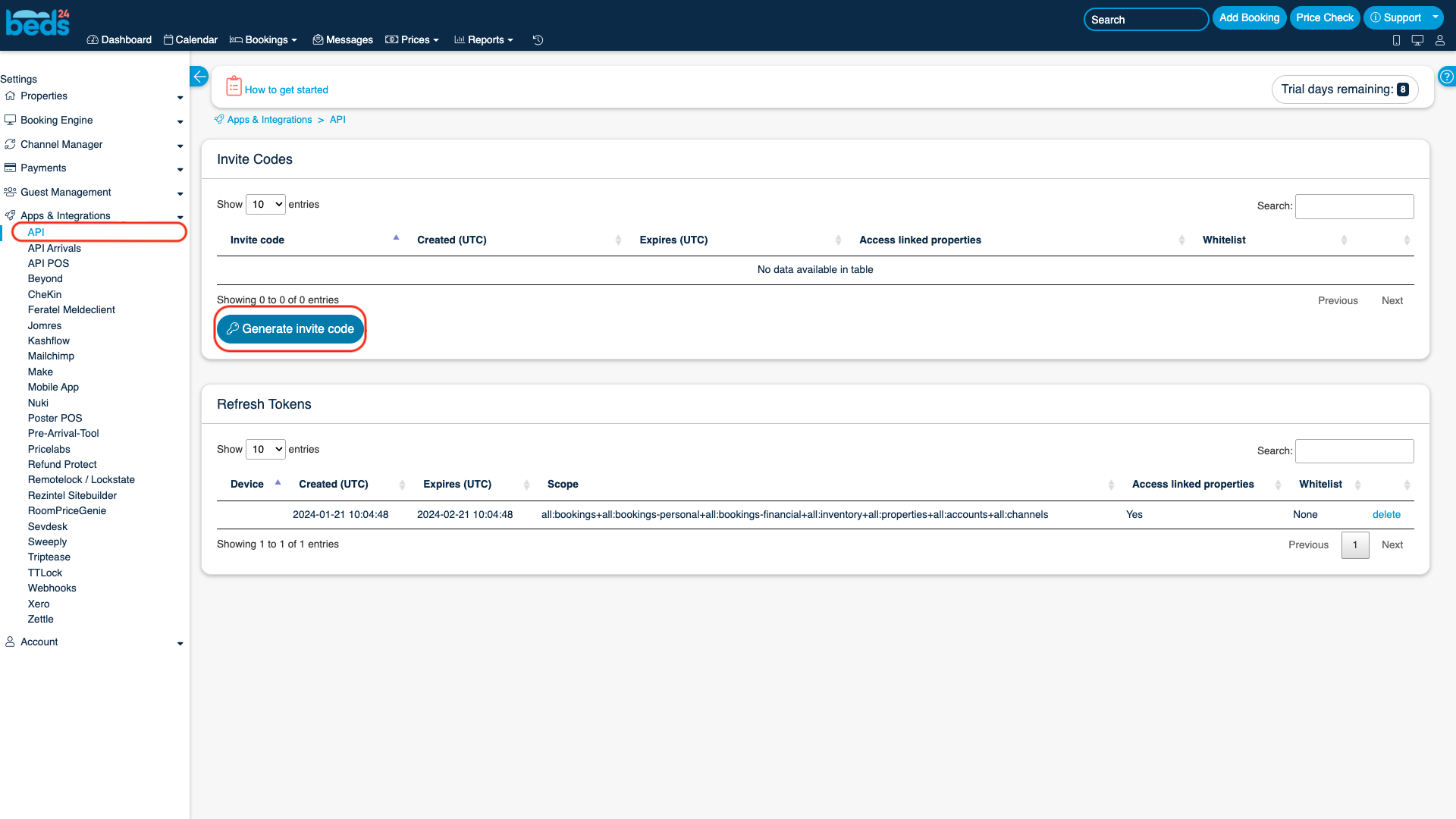
In Beds24, open Settings → Apps & Integrations → API and choose Generate Invite Code.
-
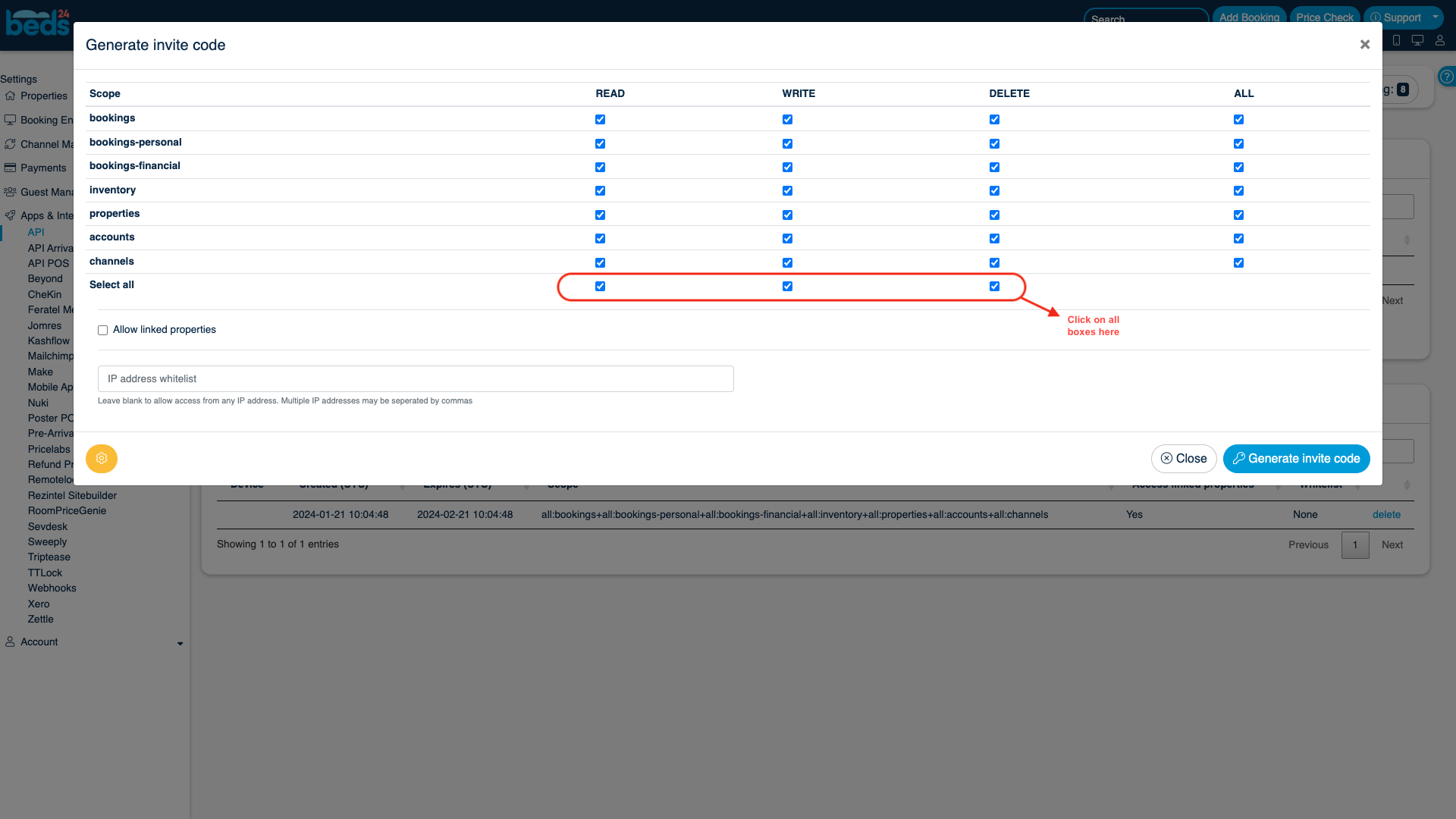
Choose Select all in all three permission boxes, then Generate Invite Code again.
-
Copy the invite code.
-
Paste it into the connection page and select Connect.
Supahost then brings your listings and bookings across. The first sync takes a few minutes; after that it keeps up on its own.
How updates reach Supahost
Supahost refreshes your bookings and property details from Beds24 every hour. Real-time updates for Beds24 need an extra step inside Beds24 itself, and Supahost does not yet give you the address that step needs. If hourly is not fast enough for you, contact support.
Related
- Connecting your PMS — what happens after any PMS connects, and how to disconnect one.