Hospitable
Connecting Hospitable lets Supahost read your listings, bookings and guest messages, and reply on your behalf. You do this once, for the whole account.
Connect it
-
In Supahost, open Apps, choose Hospitable, and select Connect. A secure connection page opens in a new tab. It's hosted by our PMS integration partner, so the address bar shows a different domain — that's expected. Enter your details there and you'll be returned to Supahost. It asks for an access token, so leave it open.
-
In Hospitable at
my.hospitable.com, open Apps → API access and select + Add new. -
Name the token and give it both Read and Write permissions. Hospitable asks for your account password before it will reveal the token. Copy it.
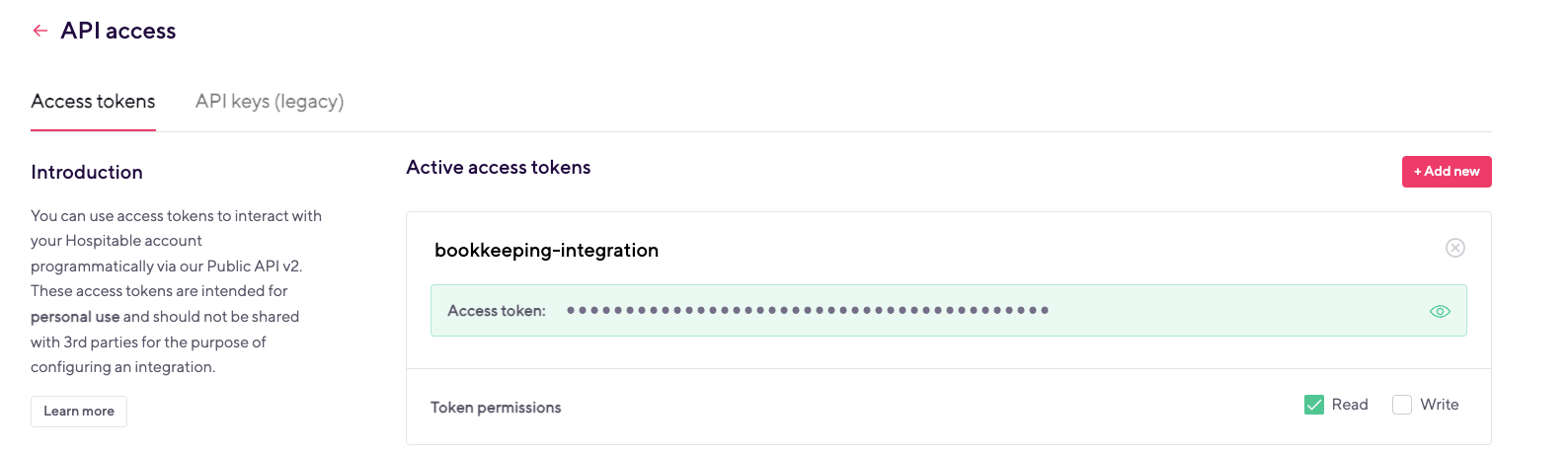
-
Paste it into the connection page and select Connect.
Supahost then brings your listings and bookings across. The first sync takes a few minutes; after that it keeps up on its own.
Turn on real-time updates
Until this is set up, guest messages, cancellations and booking changes from Hospitable won't reach Supahost, and new bookings arrive up to an hour late.
Copy your Supahost address
Find your address in Supahost: Apps → Hospitable → your account → Turn on real-time updates.
In Hospitable (my.hospitable.com), open Apps → Tools → Webhooks.
Select + Add new and paste your Supahost address.
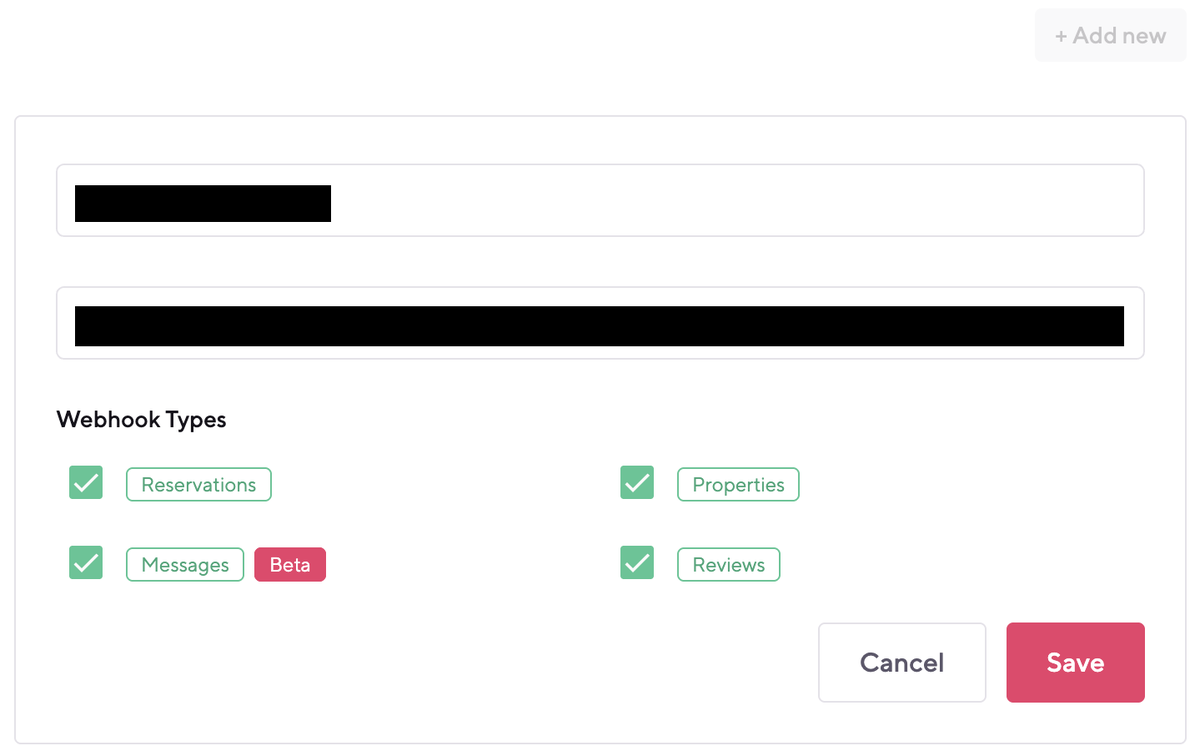
Select all webhook types, then save.
Each connection has its own address. If you see an older Supahost address in Hospitable, remove it.
Related
- Connecting your PMS — what happens after any PMS connects, and how to disconnect one.